Gitサーバーを構築する
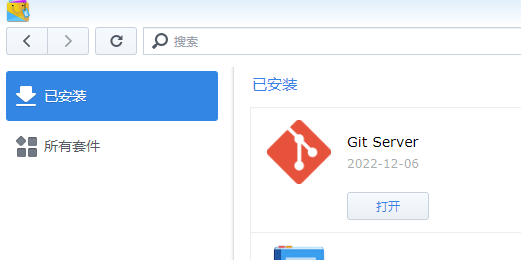
パッケージ センターに Git サーバーをインストールする
ユーザーを作成する
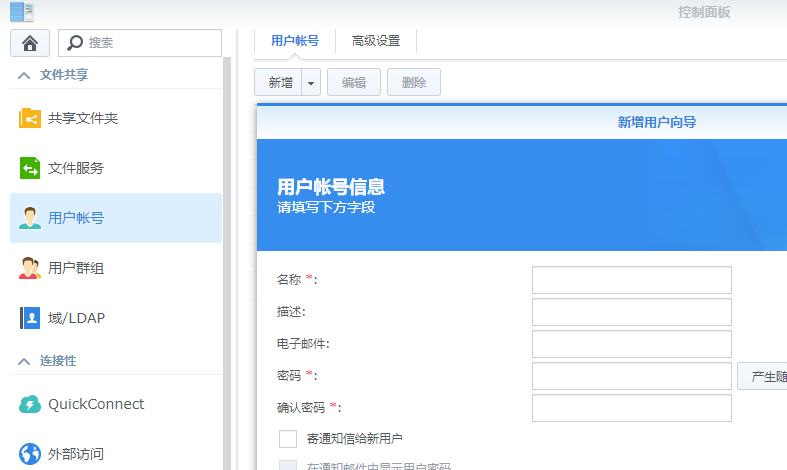
アカウント名が git であると仮定して、git リポジトリ データを保存するための新しいユーザーを作成します。
コントロールパネル -> ユーザーアカウント -> 新規
ユーザーホームサービスを有効にする
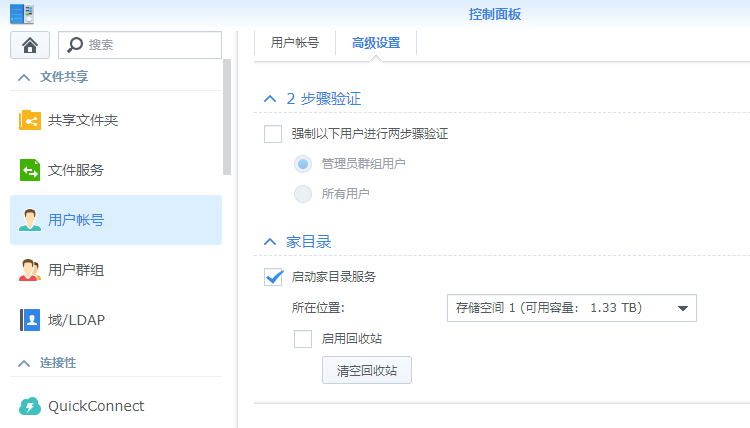
[コントロール パネル] -> [ユーザー アカウント] -> [詳細設定] に移動し、「ユーザー ホーム サービス」を有効にします。
SSH機能を有効にする
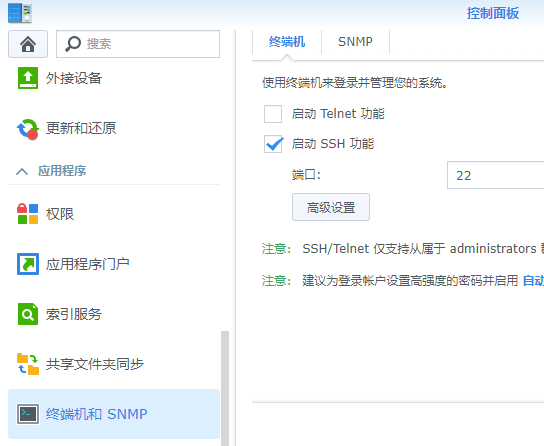
Git サーバーには SSH 経由でアクセスする必要があります。 「コントロールパネル」→「ターミナルとSNMP」に進み、「SSH機能を有効にする」にチェックを入れます。
SSH 経由で Synology NAS に接続する
SSH ツール (Windows ターミナル、Putty、Xshell など) を使用して Synology NAS に接続します
アカウント番号とパスワードはユーザー作成時に入力した内容です。プロンプトに従ってユーザー名を入力します。パスワードが渡されると、接続は成功します。
証明書によるパスワード不要のログインを設定する
ユーザーのホーム ディレクトリは /var/services/homes/git/ です。
ホーム ディレクトリに .ssh ディレクトリを作成し、.ssh ディレクトリにauthorized_keys ファイルを作成して、このファイルにキーを保存します。
完了後のディレクトリ構造は次のようになります。
 1
 2
 3
 4
 5
 6
 7
 8
 9
10
11
12
13
14
15
16
|
root@DiskStation:/var/services/homes/git# ll
total 0
drwxr-xr-x  1 git  users 726 Dec  7 21:21 .
drwx--x--x+ 1 root root   58 Dec  7 21:17 ..
drwx------  1 git  users  30 Dec  6 12:37 .ssh

root@DiskStation:/var/services/homes/git# cd .ssh/
root@DiskStation:/var/services/homes/git/.ssh# ll
total 4
drwx------ 1 git users   30 Dec  6 12:37 .
drwxr-xr-x 1 git users  726 Dec  7 21:21 ..
-rw-r--r-- 1 git users 2408 Dec  6 11:35 authorized_keys

root@DiskStation:/var/services/homes/git/.ssh# more authorized_keys
ssh-rsa AAAAB3NzaC1yc2EAAAADAQABAAABAQDLZE20i2x2ms4BzrLwOsusHa/Xe2x4bA4fhJvlcTF9yVGJZEaHKHOPOGbxAxGtP0igqjIp95yRPwBX+YYWL9oG26LSBVZ8fuDbcj/TVVIP5rsG+5W4UrZxZHrPd91LQRCfIWPr7XfjTCZr9amaan7GCw2Zf/1pSiYmhfI4yWwteB/29TOavWNf1+ArWm/dFtfA
Nea6/BTJFRjrJuhh91VR1exOxEFK7gVRmg6KsmKzGNhSPkzlhRXLyQz7ttyaCY6VIH6NyHWjMnd8Io/tfpv7mL89/XfdnKgmkhzeUWUoAgvDBGnZpaFRV9PnSZDvV5BPcBx7WG9+4yPrAqj8x knightli@ubuntu
|
ファイルやディレクトリの権限情報を変更する
1
2
|
chmod 700 .ssh
chmod 644 .ssh/authorized_keys
|
sshd 構成ファイル /etc/ssh/sshd_config を変更します。次の 3 行が必要であることに注意してください。 # でコメントされている場合は、コメントを開きます。対応する行がない場合は追加する必要があります。
1
2
3
|
RSAAuthentication yes
PubkeyAuthentication yes
AuthorizedKeysFile  .ssh/authorized_keys
|
設定が成功すると、SSH パスワードを使用せずに SSH 経由で直接 Synology NAS にログインできるようになります。この手順は、今後 git コマンドを使用するたびにパスワードを入力する必要を避けるためです。
Git サーバーを使ってみる
サーバー側にプロジェクトリポジトリを作成する
 1
 2
 3
 4
 5
 6
 7
 8
 9
10
11
12
13
14
|
git@DiskStation:~$ mkdir my_project
git@DiskStation:~$ cd my_project/
git@DiskStation:~/my_project$ git init --bare
hint: Using 'master' as the name for the initial branch. This default branch name
hint: is subject to change. To configure the initial branch name to use in all
hint: of your new repositories, which will suppress this warning, call:
hint:
hint:   git config --global init.defaultBranch <name>
hint:
hint: Names commonly chosen instead of 'master' are 'main', 'trunk' and
hint: 'development'. The just-created branch can be renamed via this command:
hint:
hint:   git branch -m <name>
Initialized empty Git repository in /volume1/homes/git/my_project/
|
クライアント側の操作
1
2
3
|
C:\Users\knightli>git clone git@192.168.8.100:my_project
Cloning into 'my_project'...
warning: You appear to have cloned an empty repository.
|
コマンドラインの clone の後の git は、サーバーによって作成されたアカウント名です。
my_project はプロジェクトのウェアハウス名です。
クローンが完了すると、その後の操作は通常どおりになります。
プッシュが完了すると、データは Synology NAS の git ユーザー ホーム ディレクトリに保存されます。
 1
 2
 3
 4
 5
 6
 7
 8
 9
10
11
12
|
git@DiskStation:~/my_project$ ll
total 12
drwxr-xr-x 1 git users  98 Dec  7 22:23 .
drwxr-xr-x 1 git users 746 Dec  7 22:23 ..
drwxr-xr-x 1 git users   0 Dec  7 22:23 branches
-rw-r--r-- 1 git users  66 Dec  7 22:23 config
-rw-r--r-- 1 git users  73 Dec  7 22:23 description
-rw-r--r-- 1 git users  23 Dec  7 22:23 HEAD
drwxr-xr-x 1 git users 506 Dec  7 22:23 hooks
drwxr-xr-x 1 git users  14 Dec  7 22:23 info
drwxr-xr-x 1 git users  16 Dec  7 22:23 objects
drwxr-xr-x 1 git users  18 Dec  7 22:23 refs
|
Hyper Backup のスケジュールされたバックアップ
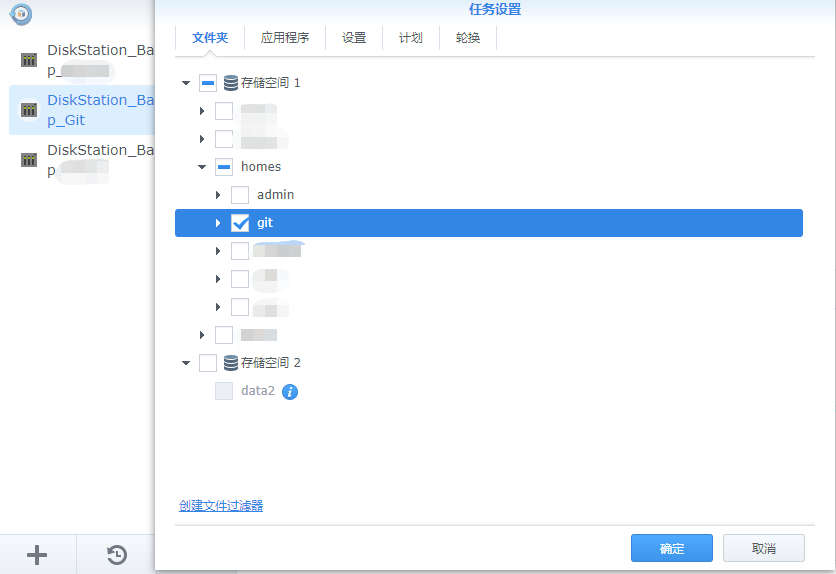
git リポジトリ データはすべて /var/services/homes/git/ にあります。このディレクトリをバックアップするだけで済みます。
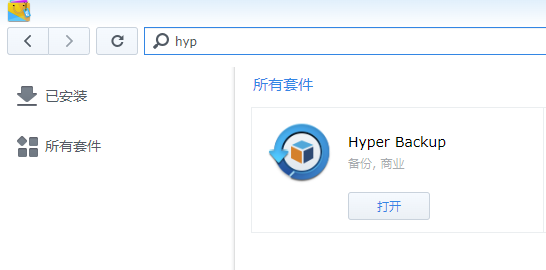
ハイパーバックアップをインストールする
ハイパーバックアップの構成