If you still work on microcontrollers or embedded systems, you will quickly run into a very practical question: in 2026, when AI-assisted coding has become increasingly common, what development environment actually makes sense?
On the surface, this looks like a comparison between several IDEs. But what it really asks is something else: do you want a tool that can simply get the project running, or a workflow that balances ecosystem compatibility, coding experience, and AI collaboration?
Seen from that angle, the answer is usually not to pick one out of Keil, STM32CubeIDE, VS Code, and CLion, but to recombine the parts each one does best.
First look at the main options and what each one really solves
In embedded development, the familiar names are still more or less the same:
KeilSTM32CubeIDEVS CodeCLion
If you go back even further, people will still mention IAR. But for this discussion, what matters less is who has the oldest pedigree, and more who actually fits today’s development reality.
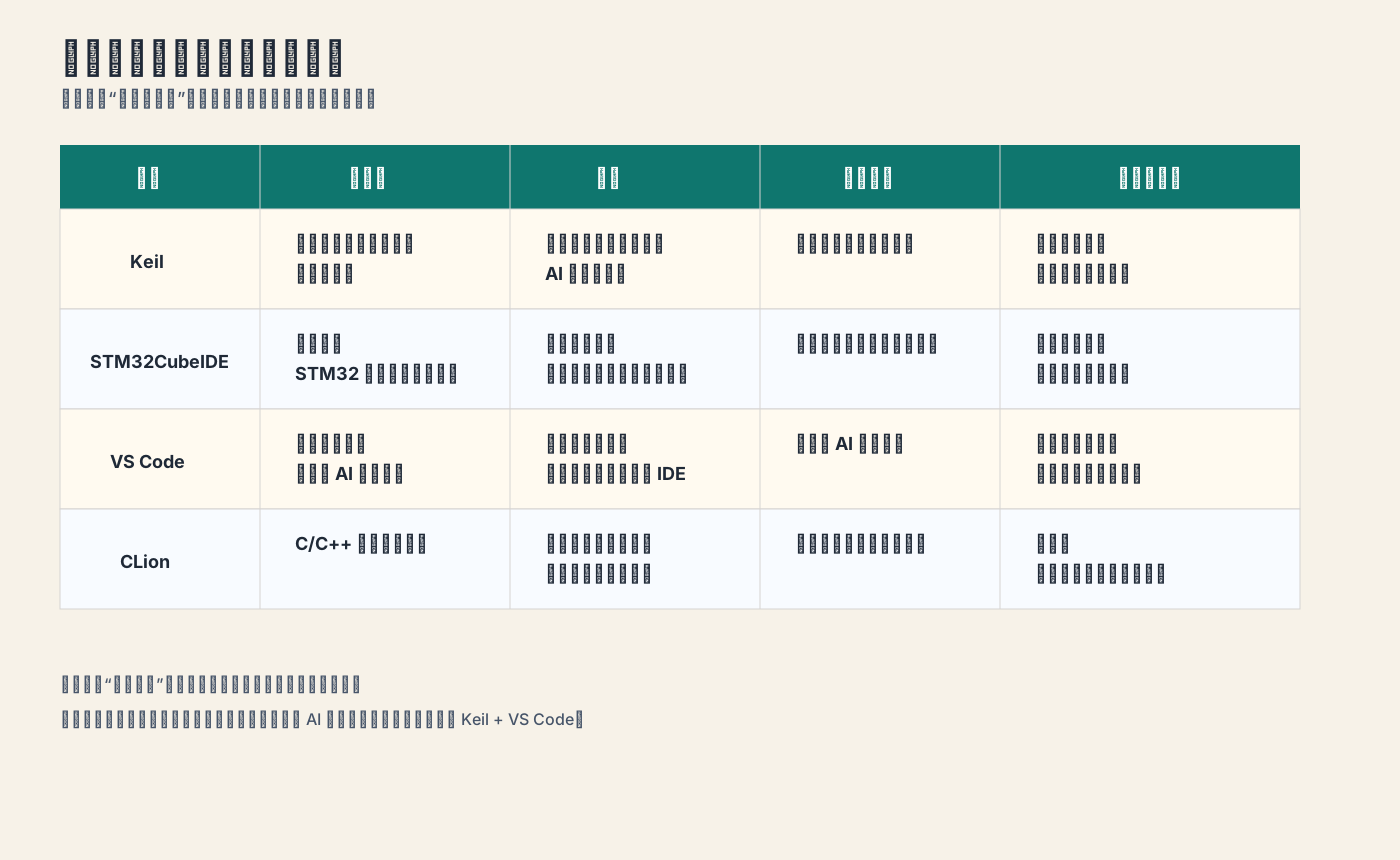
Keil: strong ecosystem, dependable entry point, but clearly outdated editing experience
Keil is still hard to avoid today, and the reason is simple: it is everywhere.
Whether you look at legacy company projects, online tutorials, shared examples, or older codebases, a huge amount of embedded work is still organized around Keil. Its build, download, and debug workflow remains mature, and if your main goal is to get code running on a board, it is still a very short path.
Its problems are just as obvious:
- dated interface
- average editing experience
- not a natural home for AI-assisted coding
So Keil feels more like a project entry point and debugging foundation than an ideal editor for a 2026 coding experience.
STM32CubeIDE: friendly for STM32, but more of a learning and quick-start tool
If you mainly live inside the STM32 ecosystem, STM32CubeIDE is often the first environment you touch.
Its strengths are straightforward:
- beginner-friendly onboarding
- convenient peripheral configuration and project generation
- a fairly complete debug chain
For students, beginners, and early project setup, that experience is direct and good enough.
But once you move into longer-running projects, heavier collaboration, and more customized workflows, its limitations become more visible. In commercial work or more complex team environments, it may not be the most comfortable primary environment.
So it fits better as a quick-start and STM32-centric all-in-one tool than as a long-term primary editor.
VS Code: not really an IDE, but increasingly strong in the AI era
Strictly speaking, VS Code is not a traditional IDE. More accurately, it is an extensible code editor.
That gives it a built-in dual nature.
Its weaknesses are:
- it needs plugins and setup
- it is not beginner-friendly enough
- it cannot replace the full embedded IDE workflow out of the box
But its real strengths come from the same place:
- strong extensibility
- a much more modern coding experience
- better highlighting, navigation, search, and refactoring
- stronger momentum around AI tools and agent workflows
At this stage, many developers no longer just want something that lets them write code. They want to know whether AI collaboration can fit naturally into the same environment. From that perspective, the advantage of VS Code is hard to miss.
CLion: good experience, but not central enough in embedded practice
CLion often comes up because its C/C++ coding experience has long been considered solid.
But for many embedded developers, the question is not whether it is good. The question is whether it is worth switching to:
- relatively fewer people use it in embedded workflows
- it does not connect to existing embedded project ecosystems as directly as
Keil - it may not offer a more practical AI-collaboration advantage than
VS Code
So it feels more like a “theoretically good option” than the most natural center of a mainstream embedded workflow today.
A more practical answer: let Keil handle build and debugging, let VS Code handle coding
If you break these tools apart by role, a much more pragmatic conclusion appears:
- use
Keilto preserve existing project compatibility, build, flashing, and debugging - use
VS Codefor everyday coding, search, navigation, and AI collaboration
The value of this combination is that it does not try to force one tool to do everything. Instead, it puts each tool back in the role it is best at.
For many embedded projects, the Keil ecosystem is simply not optional. If that is true, then instead of forcing everything back into Keil, it makes more sense to treat it as the backend build-and-debug entry point, while handing the real editing experience to VS Code.
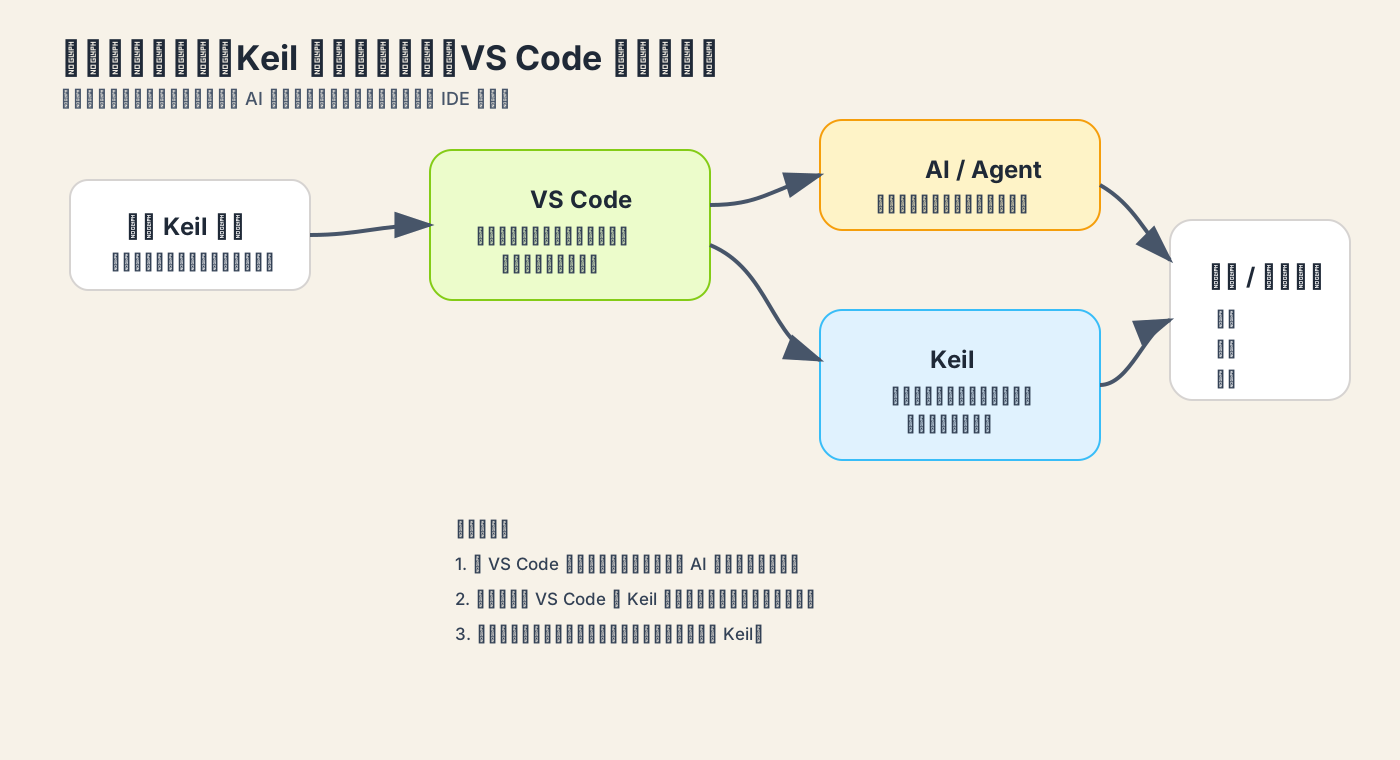
Why this combination makes more sense in the AI era
Today, the dividing line between environments is no longer just whether the editor feels smooth. It is whether AI can plug into the workflow naturally.
VS Code has several very practical strengths here:
- more active support for AI plugins and agents
- a code browsing experience better suited for AI reading and modifying projects
- easier integration with modern plugin ecosystems
That means some of the most painful parts of embedded development can start to be offloaded to AI:
- finding functions and call chains in an existing project
- quickly generating initialization code
- adding a simple UART print
- explaining the structure of old projects
- making small, localized edits in existing files
These tasks were never impossible before. They were just awkward. The meaning of VS Code is not only that it looks better. It is that it can more naturally become the workbench for AI collaboration.
The key patch: connect VS Code to Keil projects with plugins
Whether this workflow works in practice depends on one thing: can you actually connect VS Code to a Keil project?
A very practical class of plugins does exactly that by letting VS Code read Keil project structure and call Keil backend programs from inside the editor for tasks such as:
- opening a project
- building
- downloading
That way, you do not have to constantly jump between two interfaces just to write code. You only return to Keil for the heavier debugging work such as stepping, breakpoints, and register inspection.
The real value of these plugins is not merely saving a few window switches. It is making the workflow continuous.
Do not overlook the basic C/C++ plugin setup
If you want to use VS Code as the main embedded editor, one basic but often ignored point is this: you must set up the core C/C++ plugin and project indexing properly.
Otherwise, you will run into a series of issues that seriously hurt the experience:
- jump-to-definition does not work
- false red underlines appear
- completion quality is poor
- header relationships become messy
Many people assume this means VS Code is not suitable for embedded work. In practice, it is often just that the indexing and plugin configuration are not connected correctly.
Once that layer is configured properly, VS Code can actually deliver on its strengths in reading large projects, searching symbols, and using AI to assist with targeted code changes.
Who this workflow fits best
I think this combination works especially well for the following groups.
1. People who already have a large amount of Keil-based projects
If your company projects, course materials, or historical code all revolve around Keil, there is no reason to throw that ecosystem away just for the sake of looking modern. Keep Keil, then add VS Code as the front end. That is usually the lowest-cost transition.
2. People who want AI to help with embedded coding
If you already like using AI to explain functions, generate boilerplate, or make local logic changes, VS Code will take on that role more naturally than traditional embedded IDEs.
3. People who want to balance learning materials and real projects
Many tutorials are still built around Keil, but your own workflow does not need to stay stuck in that era. Treat Keil as the compatibility layer and VS Code as the productivity layer, and the balance becomes much better.
Closing
By 2026, the key question in embedded development environments is no longer just which IDE has more features. It is which combination best fits how people actually work today.
If you only want to get started quickly, STM32CubeIDE still has its place. If you need to inherit a large amount of existing engineering reality, Keil is still unavoidable. But if you also want to bring in a modern editing experience and AI collaboration, the more practical answer is often this:
let Keil handle build and debugging, and let VS Code handle writing code.
It may not be the only answer, but it is very likely one of the least awkward answers available today.