Preparation Before Flashing
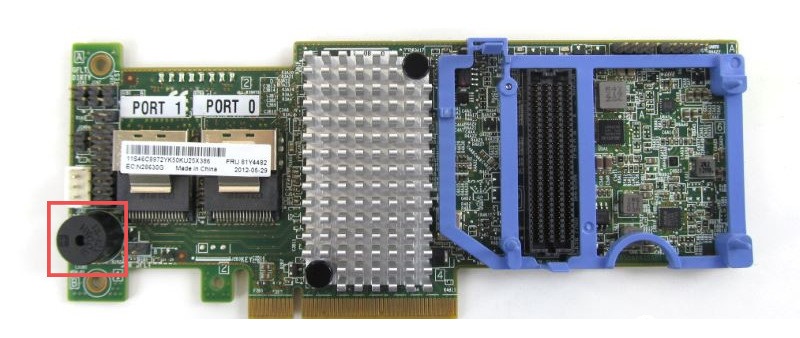
Remove the Black Round Buzzer
After the new firmware is flashed, the buzzer may keep beeping, so remove it in advance.
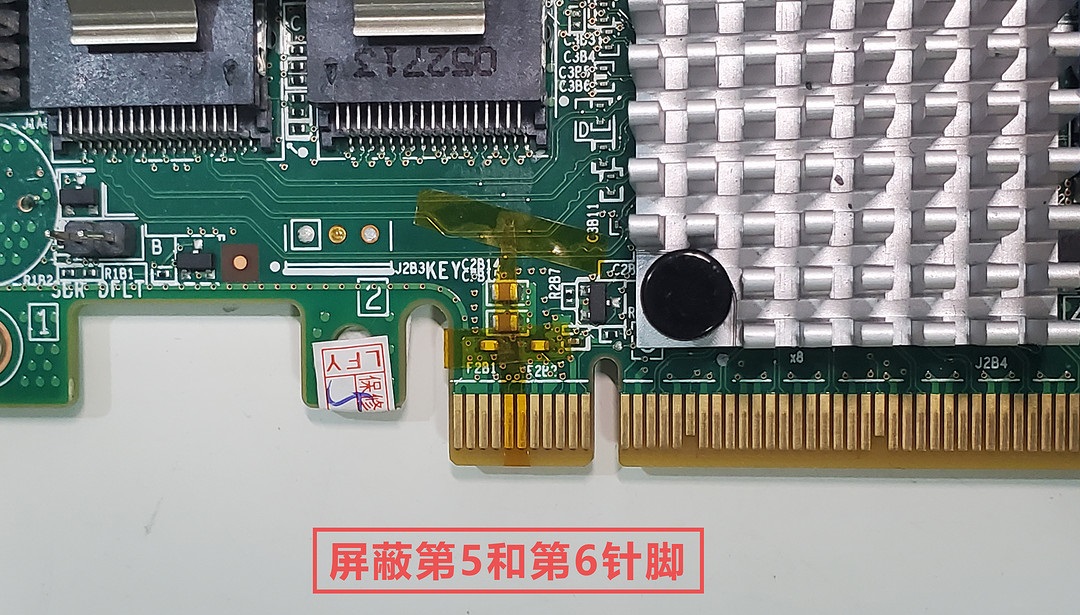
Mask Pins 5 and 6 on the Card Edge Connector
Use clear tape or heat-resistant tape to mask pins 5 and 6 on the card edge connector. Server motherboards may not require this, but masking them is recommended for better compatibility with consumer motherboards.
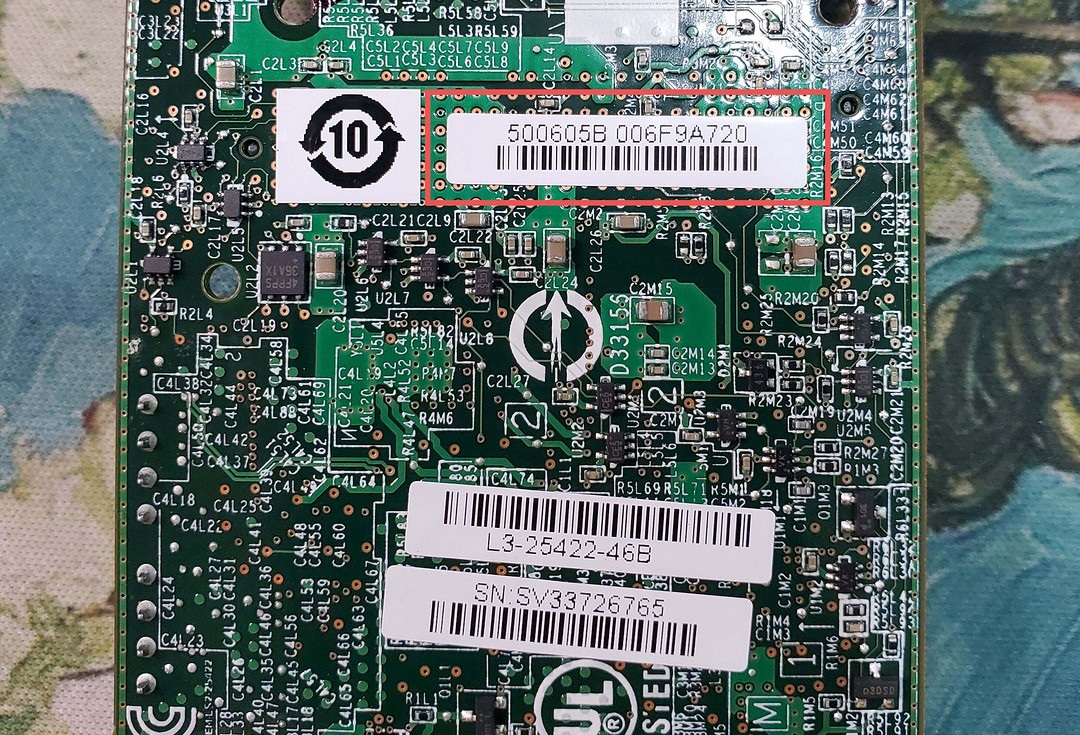
Record the SAS Address
Take a photo of the label on the back of the card, such as 500605BXXX. This is the SAS address and will be needed later.
Create the DOS Flash Drive
-
Download Rufus from the official site https://rufus.ie/zh/ on a Windows PC.
-
Insert a USB drive and open Rufus.
-
In the boot selection drop-down menu, choose
FreeDOS.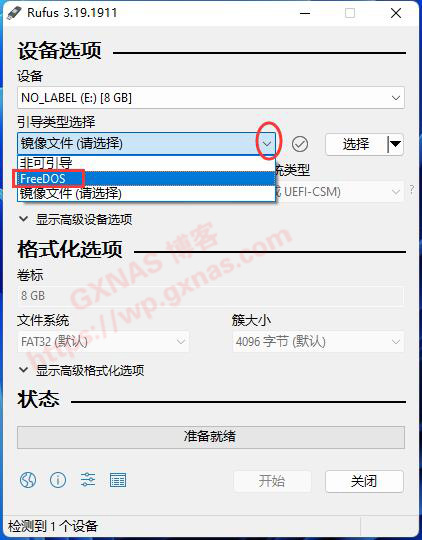
-
Confirm that the displayed device is your USB drive, choose
FreeDOS, and click Start.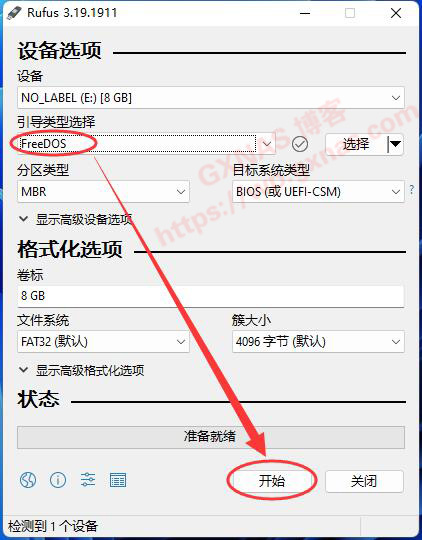
-
Follow the on-screen prompts until the process is complete.
-
Download the files needed for flashing: LSI.zip
-
After extracting the archive, copy all files from the
LSIdirectory directly to the root of the USB drive. The flash drive is now ready.
Flashing Steps
Preparation
-
Remove all PCIe devices first. If the system has integrated graphics, also remove the discrete GPU. If it has no integrated graphics, leave the graphics card installed. Except for the DOS boot USB drive, it is best to disconnect all hard drives. Insert the RAID card into the first PCIe slot, the one closest to the CPU.
-
Enter BIOS and confirm that CSM legacy boot is enabled. Disable fast boot so both legacy BIOS and UEFI boot methods can be used.
Initialize the IBM M5110 RAID Card
Initialization must be done in non-UEFI mode.
- Boot from the USB drive, making sure to choose legacy mode.
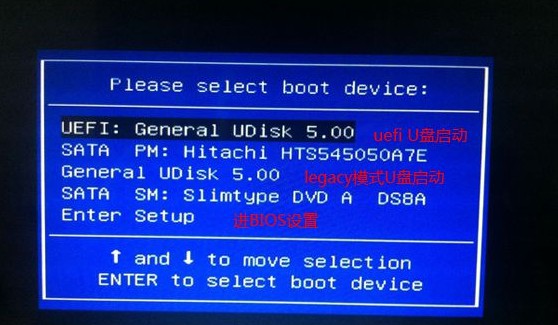
- Check whether the adapter can be detected:
|
|
or
|
|
If SAS2208 is detected successfully, continue.
- Clear the SBR:
|
|
This writes a blank 512-byte SBR to the card. After a successful write, you should see success.
- Clear the RAID card flash:
|
|
This clears the card flash/NVSRAM. The M5110 has a large 32 MB flash, so wait patiently until the operation completes.
After completion, do not reboot by pressing the power or reset button. Use CTRL + ALT + DELETE to reboot into UEFI mode for the following steps.
Flash Firmware, BIOS, and UEFI
-
Reboot or switch into UEFI mode. Use
CTRL + ALT + DELETEto reboot into UEFI mode.
Make sure to select UEFI mode. -
Change to the correct filesystem:
|
|
Use the map command to list disks.
|
|
Enter the disk that contains the flashing files. In this example it is fs0, but it may be different on your system.
- Flash the firmware and BIOS files:
|
|
If it succeeds, success will be shown. If an error occurs, try:
|
|
This uses a different firmware file. Some M5110 versions appear to require a different firmware image.
- Flash the 2308 UEFI BIOS:
|
|
If it succeeds, success will be shown.
-
Check the current SAS controller status:
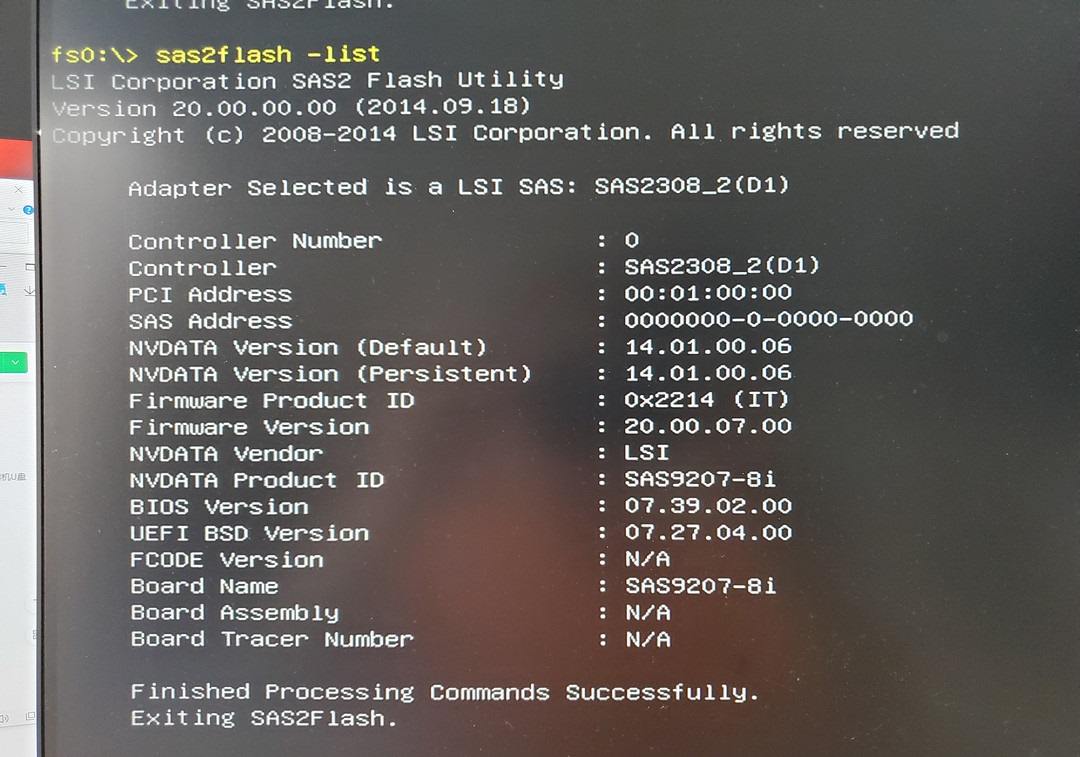
If the output matches the expected result, the firmware and BIOS flashing succeeded.
A freshly flashed card may show the SAS address as0000000-0-0000-0000. -
Set the SAS address again:
|
|
Set the SAS address to match the sticker on the card. Do not type the hyphens; enter the digits continuously. After setting it, check the result with:
|
|
Related Resources
Firmware Avago 9207-8i 20.00.07.00 - P20
User Manual 2.1
Quick Installation Guide
HBA FAQs
Flash LSI9240-8i RAID card to LSI9211-8i IT mode